Choirs, wind bands, orchestras, music schools
Your ensemble, from preparation to concert.
Everyone opens their own part, up to date, on the device they already have. And the concert comes together in the same place: who’s coming, who plays what, the programme handed to the audience. One subscription for the whole ensemble.
- Free on one device
- No card needed
- Offline
- iPad, Android, computer
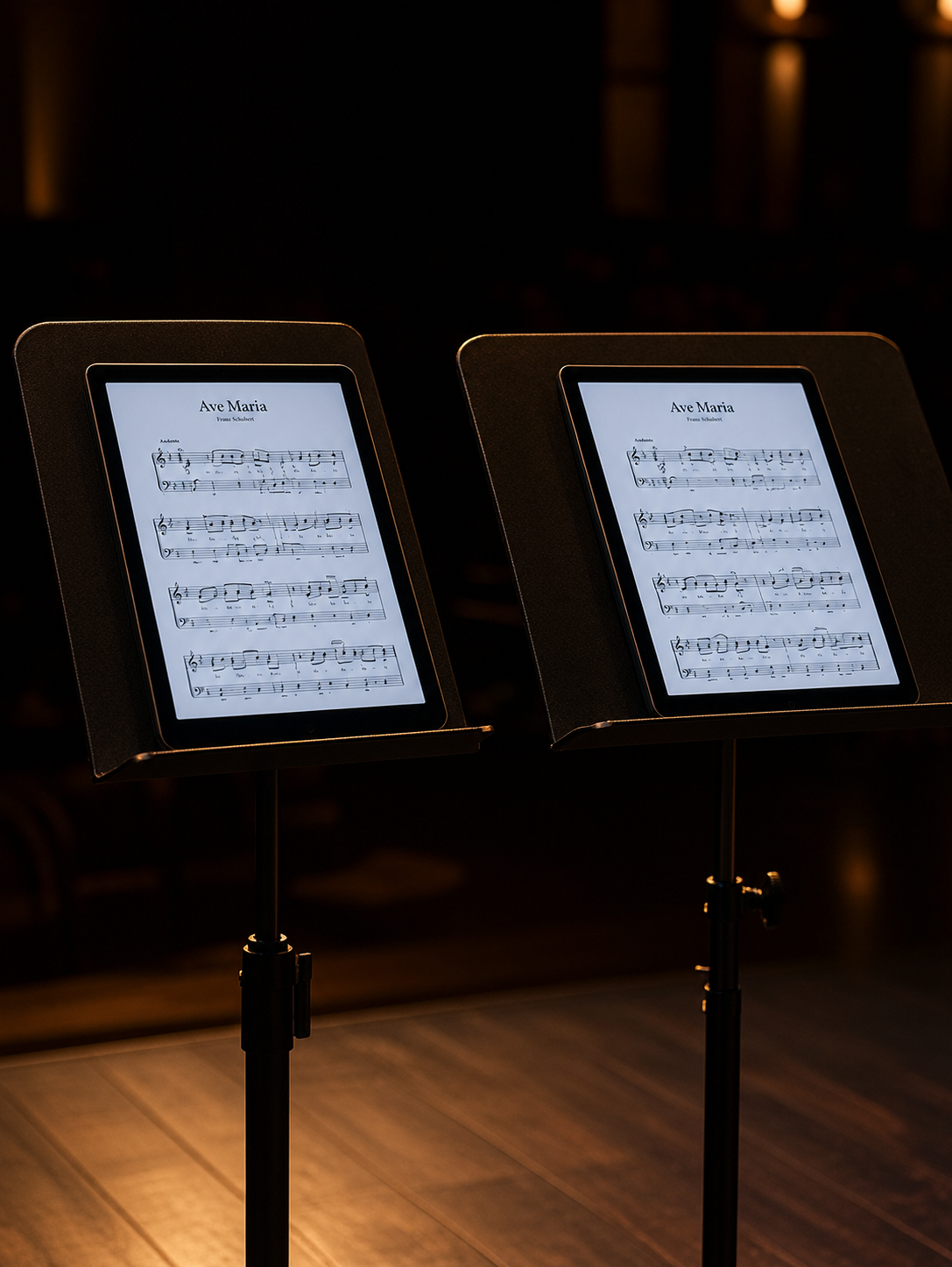
NoteStand, from preparation to concert — 1 min 53.
Prepare · Rehearse · Play
There at every step, for the whole ensemble
NoteStand follows an ensemble’s three moments, and each one works on its own: you can just keep the repertoire up to date, or go all the way to the concert. In a large ensemble, one person prepares for everyone; in a small group, everyone pitches in; in a school, each teacher prepares for their class; on your own, you do it all.
Between sessions
Prepare
To prepare everyone’s repertoire.
Built once, backed up, up to date on every device.
- —Fixed or marked once, up to date for everyone.
- —Set lists ready: order, key, duration; transposition per set list.
- —PDF scores, MusicXML, lyrics and translations, audio — or imported from forScore with their annotations.
Alone at home or in rehearsal
Rehearse
So everyone works on their own part.
Everyone finds their part in every piece, and practises it at their own pace.
- —Your part opening by itself, your personal annotations on top of the group’s.
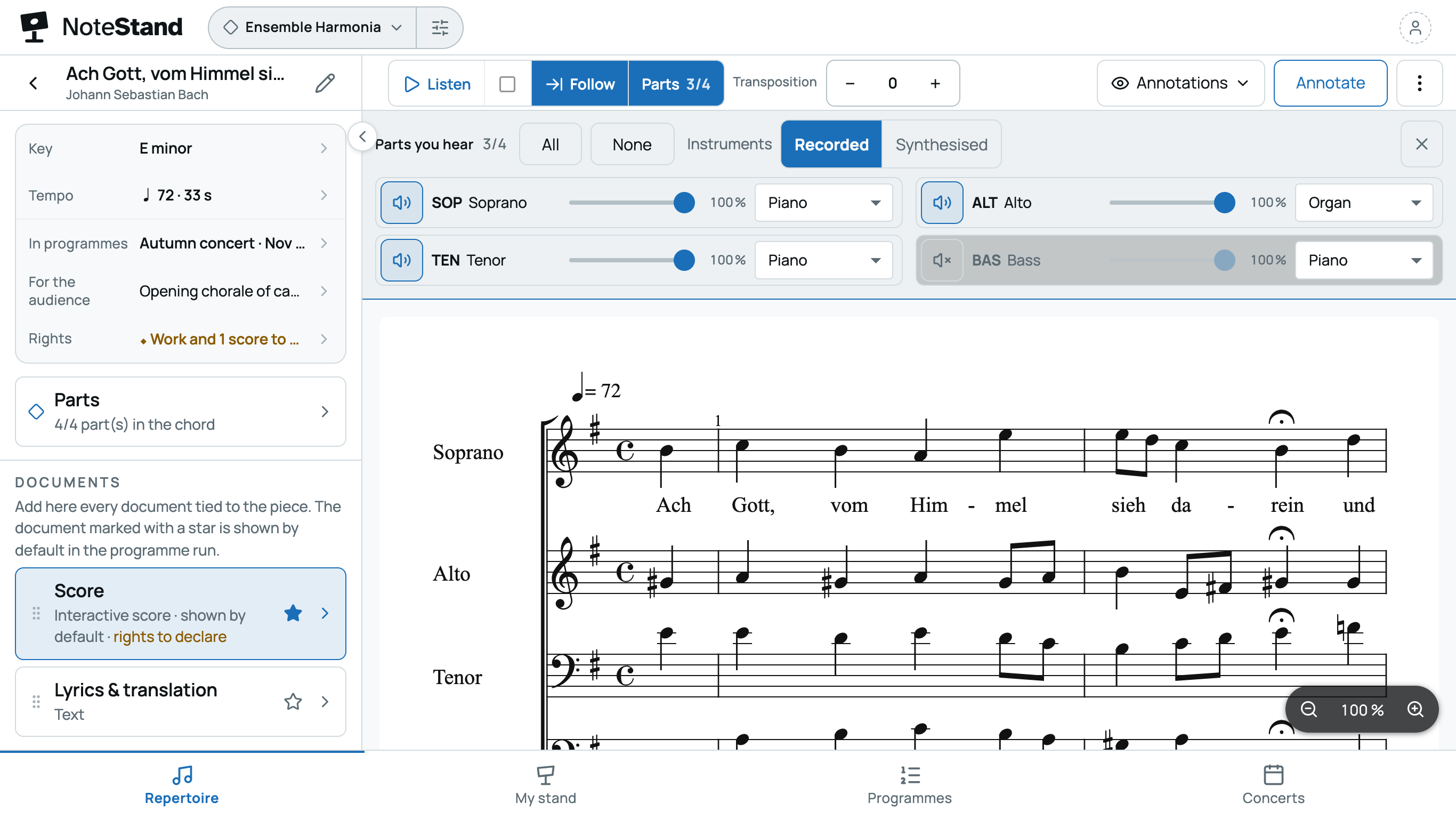
- —Hear your part, mute the others, among 38 recorded instruments.
- —My stand: the pieces you’re working on, in tabs.
In concert or at events
Play
To put on a concert.
Nothing to set up: everyone opens the set list and finds what concerns them.
- —Who’s coming, who plays what; the programme for the audience; your rights declaration, prepared.
- —Every voice, its starting note, in one gesture.
- —The set list with no noise, no fiddling, pages turned by pedal.
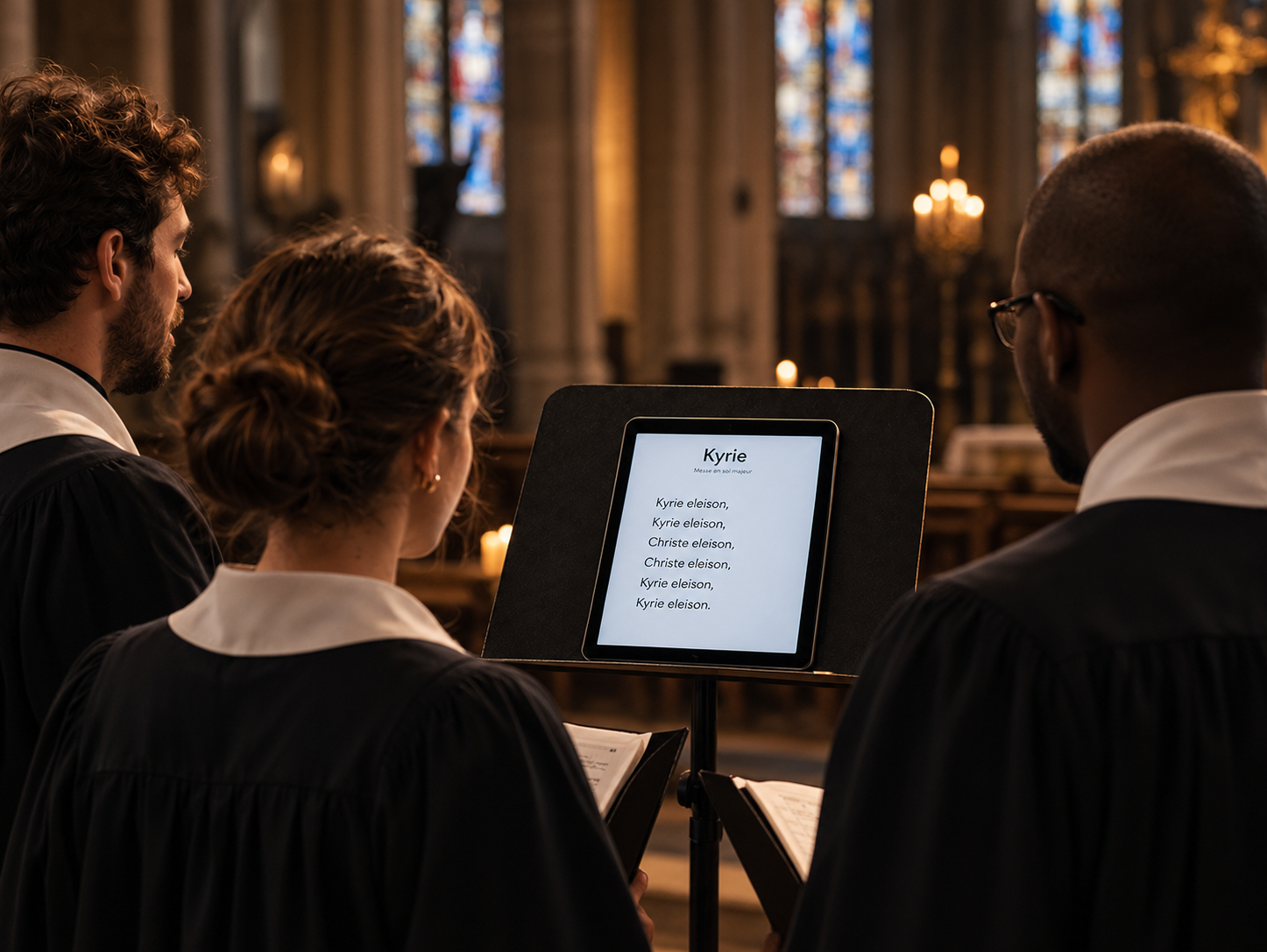
To play, two ways are equally supported — same repertoire, same controls, offline in both cases.

Before
The repertoire drifts, the organising scatters
For the ensemble
PrepareRehearsePlay
In rehearsal and on stage, everyone up to date
The version worked on at home is the one on the stand at rehearsal, then on stage. No export, no import, no wondering which one is right.
PrepareRehearsePlay
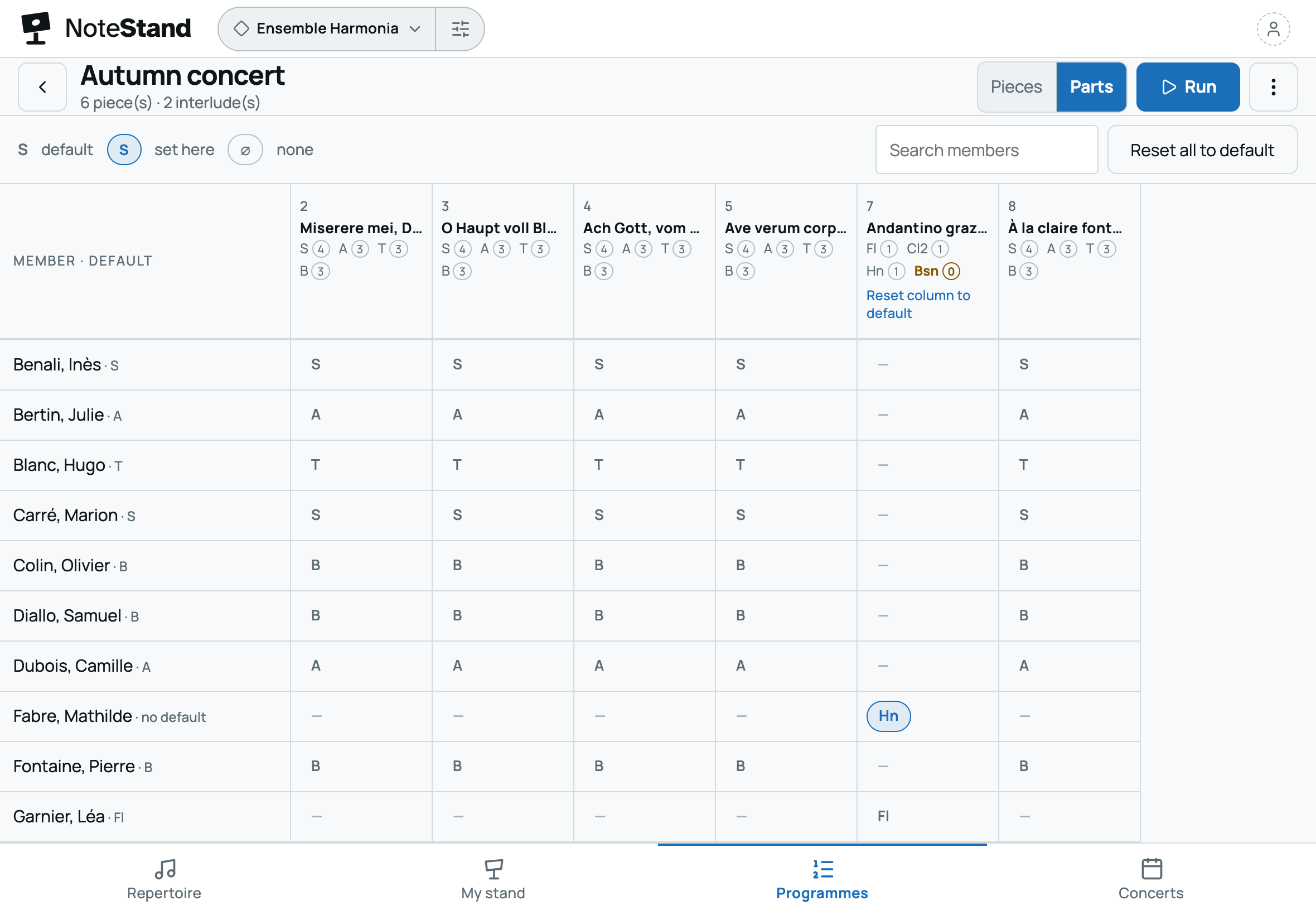
Everyone’s part, in every piece
In an ensemble, everyone first looks for their place: their note, their line, their part. NoteStand finds it for them in every piece, even when it changes from one piece to the next.
For vocal ensembles
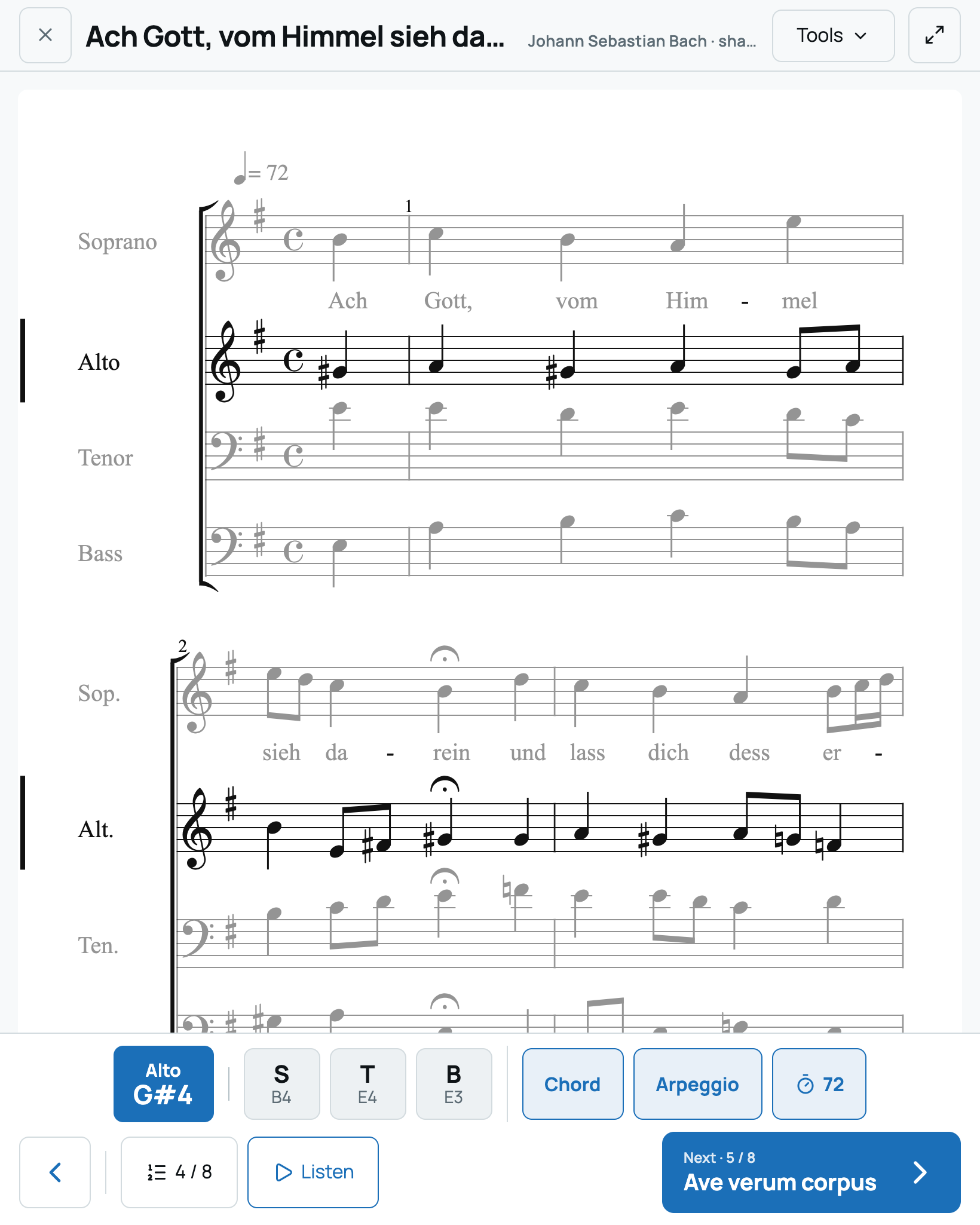
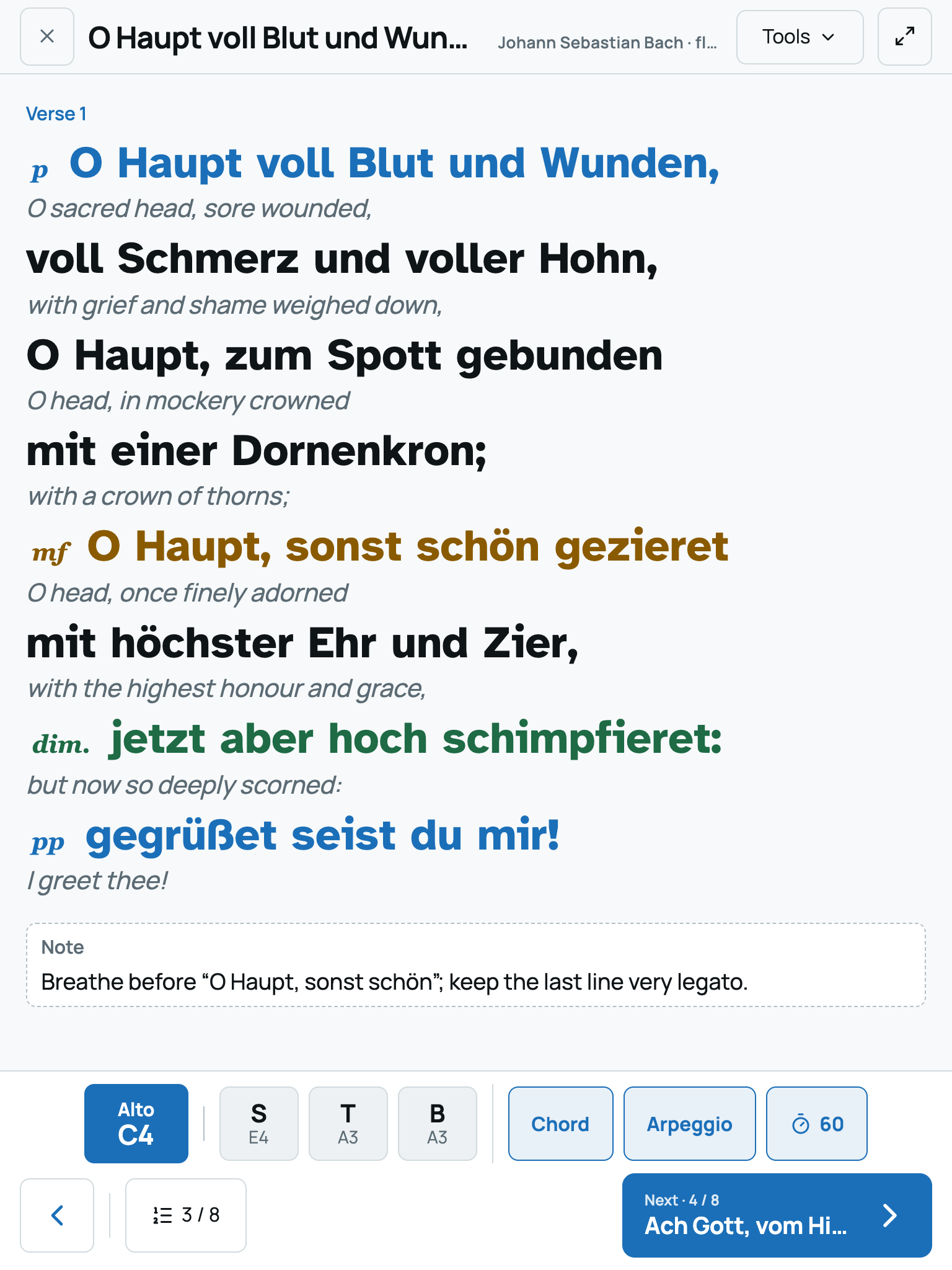
The starting note, for every part, in one gesture
One note per part, taken from the piece itself, at the real octave: a bass never hears their note at the soprano’s octave. And the full ensemble chord, in the same place — all visible at once, in one tap. Where a pitch pipe gives one note, NoteStand gives every part its own, piece by piece.
For instrumental ensembles
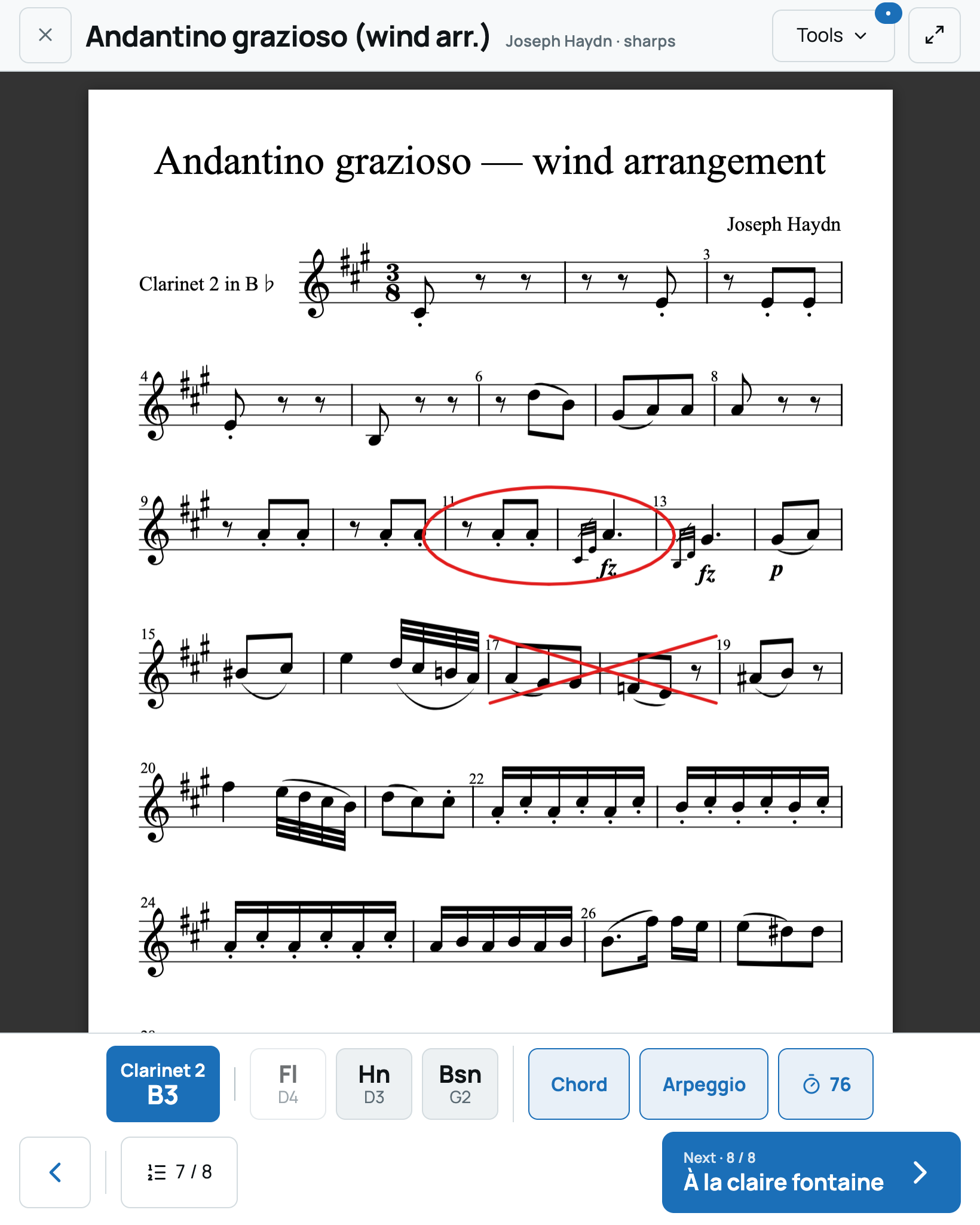
Every musician opens their part, the right version
Each document is linked to its part: the 2nd clarinet part opens by itself for the 2nd clarinets, on everyone’s own device. A correction from the conductor, a cut, an added repeat: the whole section has it at the next rehearsal, with no photocopies and no files to send around. And the part’s pages turn with a pedal, hands on the instrument.
PrepareRehearsePlay
Concerts, organised in one place
A concert is a date, a venue and a set list — and one set list can serve several concerts. NoteStand keeps all three together, for the musicians and for the audience: who’s coming, who plays what, and what the audience will read.
On every space
The group’s calendar
A Concerts tab, with upcoming and past dates.
- —Date, times, venue and set list; the other dates of the same set list stay in view.
- —Each concert exports to anyone’s calendar (.ics file).
- —Internal details — call time, meeting point, dress code — stay for the musicians only.
With a cloud space
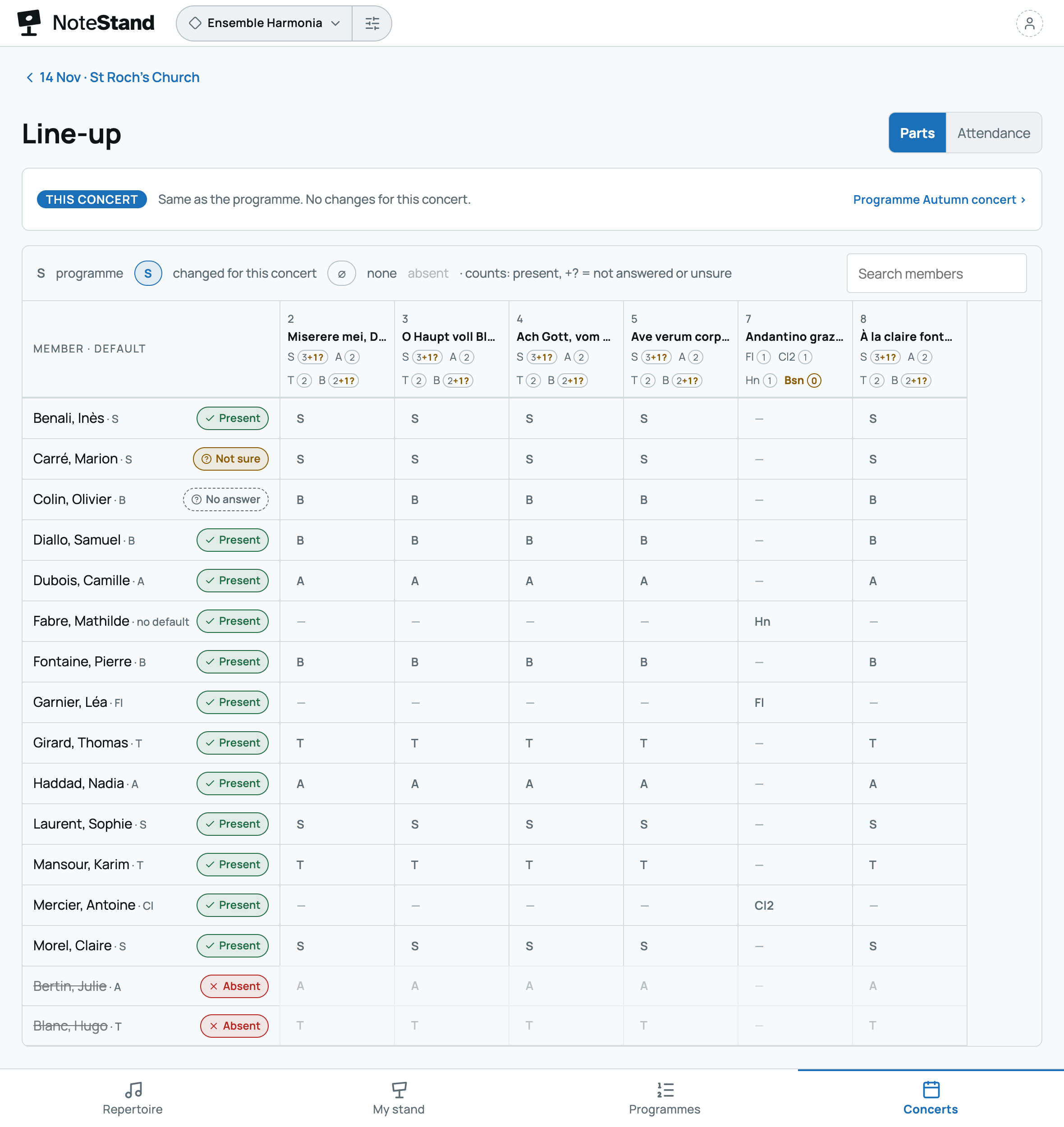
Who’s coming, who plays what
Everyone answers: present, not sure or absent; a reminder goes out by email before the date.
- —The concert line-up reuses the set list’s part assignments, with absent musicians greyed out: a part left without a player shows at once.
- —The concert stays “in preparation”, hidden from musicians, until it’s announced — by email, as is a cancellation.
- —A part changed after the announcement? NoteStand lists the musicians concerned and lets them know in one tap.
For your audience
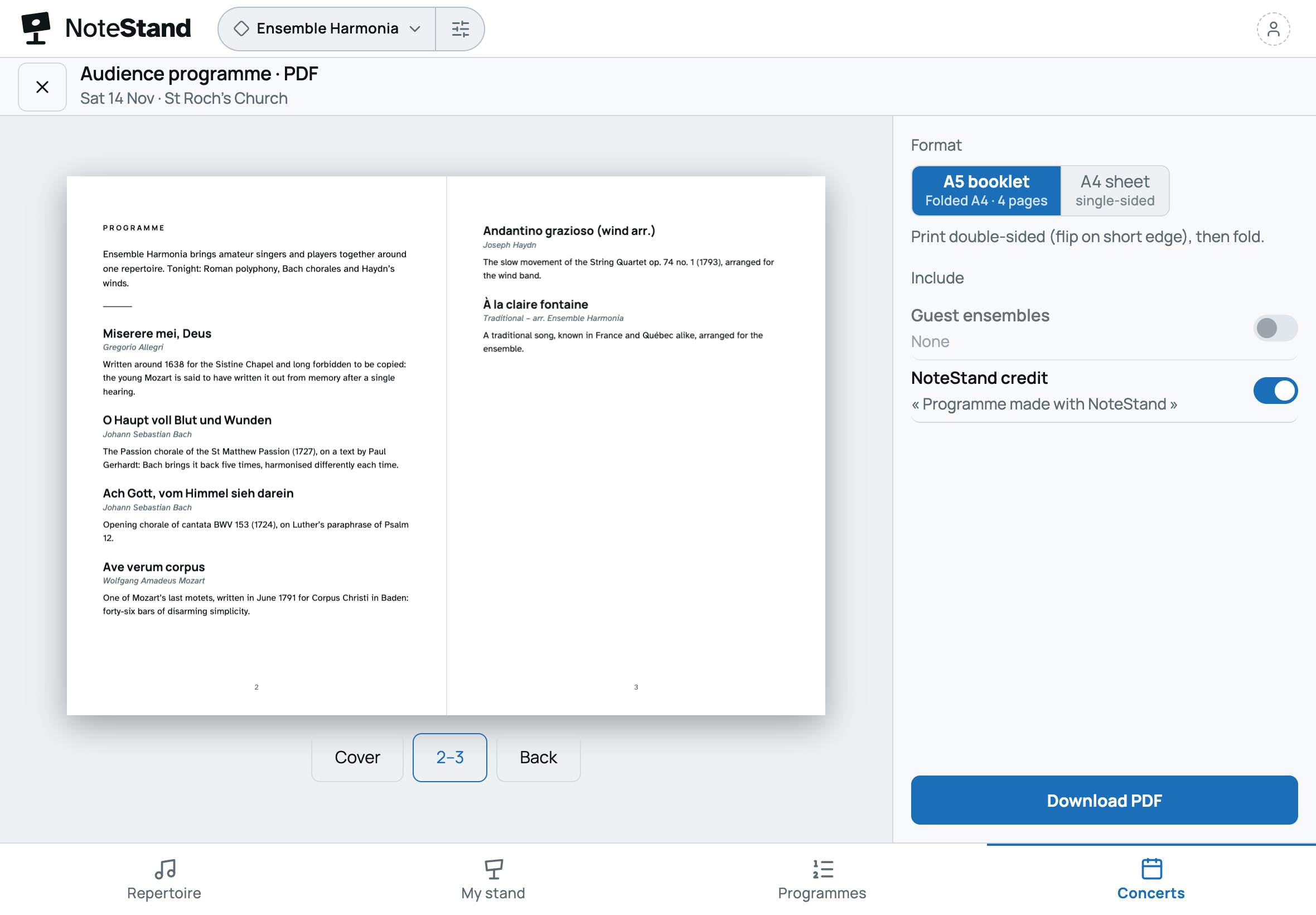
The concert programme, printed or online
Titles, composers and a note on each piece, written once in the repertoire, serve every concert that plays it.
- —A programme to print: A5 booklet or A4 sheet.
- —An online page for each concert, and a poster with a QR code for the venue (cloud space).
- —Lyrics and internal details are never published.
Performing rights
The rights declaration, prepared from the concert
Composer, lyricist, arranger, publisher: credits are entered once, on the piece and on each score. NoteStand turns them into the concert’s programme of works, ready to copy into the declaration your collecting society asks for (SACEM in France).
- —The programme of works as a PDF or a spreadsheet (CSV), in the version actually performed.
- —A rights status for each score, with who entered it and when.
- —A register of the editions shared in the space: protected editions, page counts, originals against the number of readers.
For each musician
PrepareRehearsePlay
Your whole repertoire, on a single stand
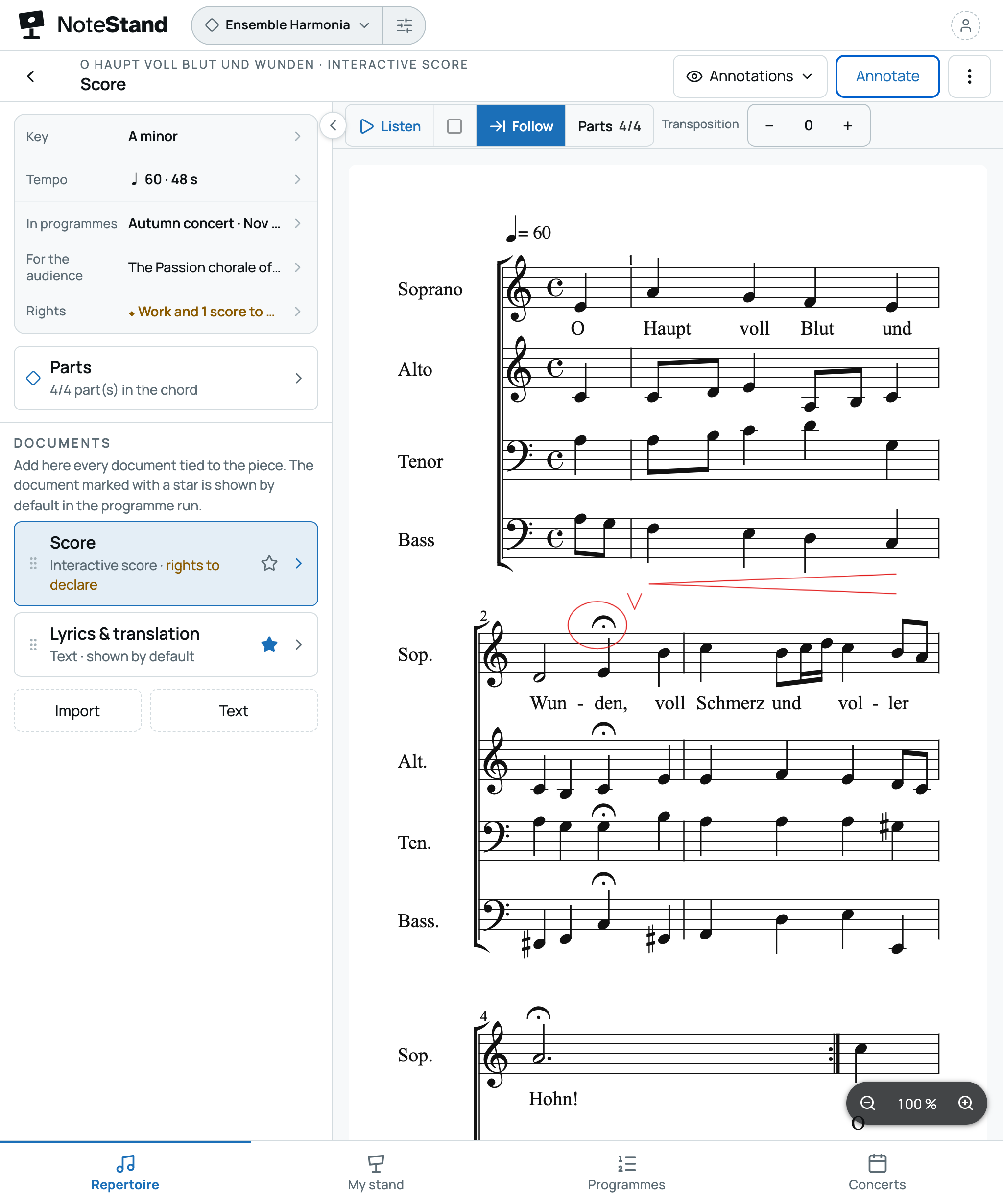
Scores, lyrics, starting note, tempo, key: every piece in one place. Lyrics are calibrated to a real physical size — a 5 mm cap height, measured on the screen showing them — so they read from a metre away, standing, in low light.
- —PDF scores attached to the piece.
- —Imported MusicXML, playable and transposable, with a playback cursor.
- —Stylus annotations, on PDF and MusicXML alike — they stay in place when you zoom.
- —A stage reader that replaces loose sheets and scattered files.
- —Lyrics ready to sing: choruses and verses marked, translation and pronunciation under each line, dynamics on the text — or extracted straight from the score.
- —Coming from forScore? Your scores import with their annotations, and your setlists become NoteStand set lists.
PrepareRehearsePlay
My stand: practise your part, at your own pace
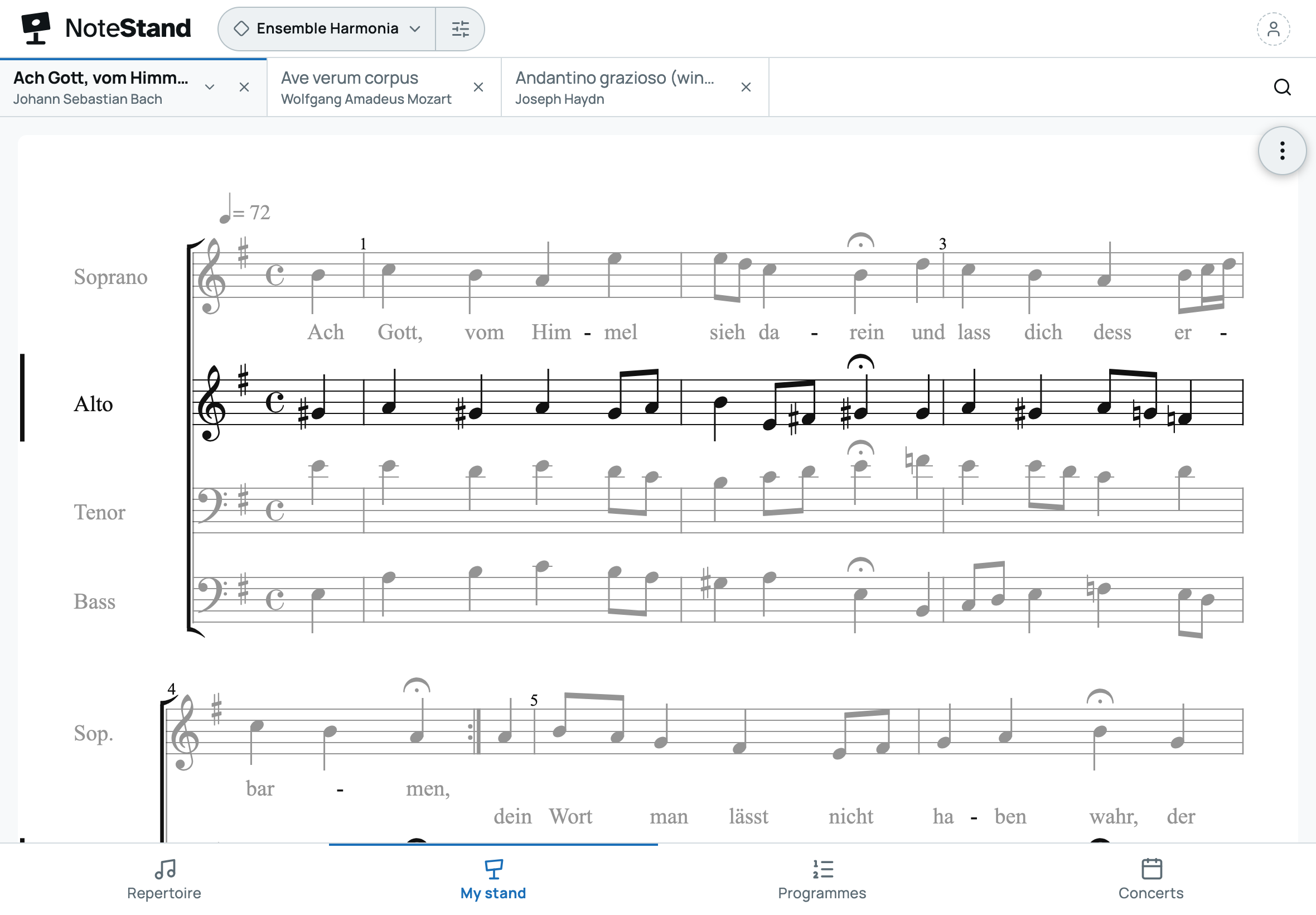
A tab of your own, next to the repertoire and the set lists. Everyone opens the pieces they are working on — one by one, or a whole set list at once — each in its own tab, with their part highlighted. Nothing there is shared: it is each musician’s personal workspace, on their own device.
- —When it is empty, My stand suggests the upcoming concerts and the set lists viewed last: their pieces open in one tap.
- —The piece’s tools at hand: its documents, your part, the starting notes, listening with the parts console, annotations.
- —Open to every member, including those who don’t edit the repertoire.
- —Tabs reorder by dragging them, and stay put from one session to the next.
- —Practise your part at home: on an engraved score, everyone mutes the other parts, turns their own up and picks the instrument that plays it, among 38 recorded instruments — piano, organ, strings, winds, choir. The setting stays on their device.
PrepareRehearsePlay
The concert set list, no noise, no fiddling
Set-list mode plays a whole programme — pieces, spoken words, transitions — with no visible handling and no stray sound. The same run serves in rehearsal and in concert; the screen never sleeps, and stage mode dims the display. Everything the group needs at each step is triggered from there — down to a chromatic pitch pipe to give any note.
Together, in the cloud
Unless a cloud space is mentioned, everything above is free and local. The connected service adds what a group expects: guaranteed backup, a shared repertoire kept up to date on every device, roles and invitations. What’s sold is guaranteed, backed-up storage space plus the right to use it together — billed from the moment the cloud space is activated, never before.
Schools and conservatories
One subscription for the institution, one space per class
The institution subscribes once and opens a space for each class or ensemble. Each teacher prepares their space’s repertoire; students receive it, each with their own part.
- —The administration stays in control: spaces, seats and invitations, from a dedicated screen.
- —Repertoires stay separate from one class to the next.
- —The institution remains responsible for its students’ data; NoteStand processes it on its behalf.
Plans
Local is free, with no time limit. The cloud is chosen by group size, monthly, or yearly with two months free. It’s paid per group, not per musician: for fifteen musicians, the Ensemble plan comes to €1 per person per month.
Local
NoteStand on one device, with a free account and no network needed to play: everything that doesn’t need several members, without limits.
Free
Schools and conservatories
Per space (a class or an ensemble), 5 to 10 spaces. 50 pieces and 30 members per space. Beyond 10 spaces, contact us.
€10 /space/mo
or €100 per space per year
Prices include VAT. Pay by card or SEPA Direct Debit in the European Union, by card elsewhere in the world. The plan can change during the subscription. Details in the terms of sale.
Install it on your tablet
This is the recommended way to play with NoteStand: full screen, offline, a screen that doesn’t sleep. Installing takes a few seconds and is done from the browser.
iPhone and iPad
From Safari, in three gestures
- 1Open NoteStand in Safari — it’s the only browser that can install on iOS.
- 2Tap Share in the toolbar.
- 3Choose Add to Home Screen, then Add.
Android
The browser offers it
Chrome or Edge shows an Install app banner. Otherwise, the menu then Install app.
Computer
An icon in the address bar
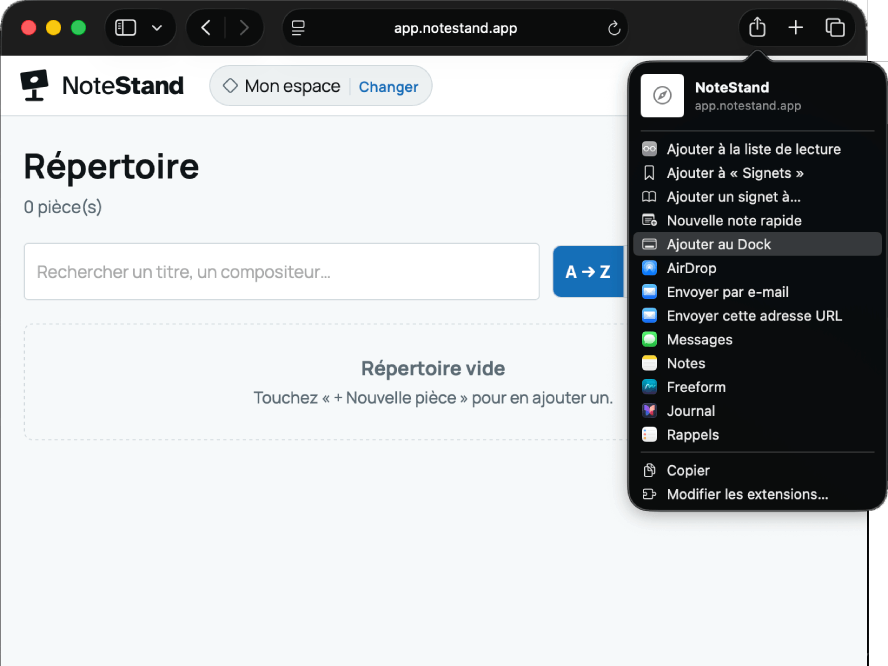
On Chrome or Edge, the install icon appears in the address bar; otherwise, the menu then Install NoteStand. The app opens in its own window.