Choirs and vocal ensembles
Your choir’s scores and concerts, finally in one place.
Every singer opens their own part, up to date, with its starting note and translated lyrics, on the device they already have. And the concert comes together in the same place: who’s coming, what you sing, the programme handed to the audience. Singers pay nothing.
6 months free · no card needed, no commitment
Works offline Computer, tablet, phone

Today
The small frictions of a choir’s everyday life
Documents scattered everywhere
Scores, lyrics, MP3 files: dropped on a Drive, a Padlet or in a folder, hard to organise and to find when it’s time to practise.
Information that doesn’t get through
A correction, an agreed breath, a change of set list, sent by email or on a messaging app: at the next rehearsal, half the choir still has the old version.
Lyrics nobody can read
Too small, in low light, in a language nobody speaks, with no translation or pronunciation.
Finding the starting notes
From one piece to the next, each part’s note has to be found again, on a pitch pipe or the piano, before the choir starts.
Your voice, lost in the score
Four tight staves, divisi, soloists: everyone hunts for their line, and practises it alone with a recording made in a hurry.
For the choir
What NoteStand does for the voices
Organising concerts and the rights declaration are described on the home page. Here is what serves the choir and the singers first.
Everything in one place, up to date for all
Each piece brings together its scores, lyrics and MP3 practice tracks, part by part. A correction by the director is up to date for the whole choir, on every device, with no export or sending.
- A breath or a cut marked with a stylus on the shared layer: the whole choir has it at the next rehearsal, absentees included.
- A changed set list is the same for everyone; a part changed after the concert was announced, and NoteStand tells the singers concerned in one tap.

Lyrics ready to sing
Lyrics show at a real physical size — a 5 mm cap height, measured on the screen — so they are readable from a metre away, in low light.
- Choruses, verses, solo passages and spoken words marked; coloured dynamics on the text.
- Translation and pronunciation under each line, for Latin, German or Corsican.
- Or taken straight from a MusicXML score, with nothing to retype.
A starting note for every part
In rehearsal, or on the tablet a few singers share in concert: one note per part, taken from the piece, at the real octave — a bass doesn’t hear their note at the soprano’s octave. The full chord and the arpeggio, in the same place, in one tap.
- On a PDF score, each part’s starting note is picked once, on a keyboard.
- On a MusicXML score, it comes from the score itself.
- The director finds it in one tap from the run, without looking for a page.

Every singer in their section
Everyone picks their section — sopranos, altos, tenors, basses — and finds their part in every piece: their staves stand out, their starting note is ready.
- The director assigns parts piece by piece: soloists, divisi, an alto singing tenor for one motet.

Practise your part at home
On an engraved score, everyone mutes the other parts, brings up their own and picks the instrument that plays it, among 38 recorded instruments — piano, organ, choir.
- MP3 practice tracks — often one per part — are attached to the piece and play alongside the score and the lyrics, on everyone’s device.
- Your own stylus marks, on top of the choir’s annotations.

One tablet for several singers
Not every singer has a tablet: one, on a music stand, can serve three or four neighbours. On a shared screen, no part is highlighted — unless they are all in the same section.
- The others follow on their phone, or stay on paper: every score downloads as a PDF to print.

An example
A season with NoteStand: a forty-voice choir prepares its Christmas concert
A director, a chair, forty singers, eight pieces and one concert: here is how NoteStand is used, from September to the rights declaration.
- SeptemberThe director, on her computer
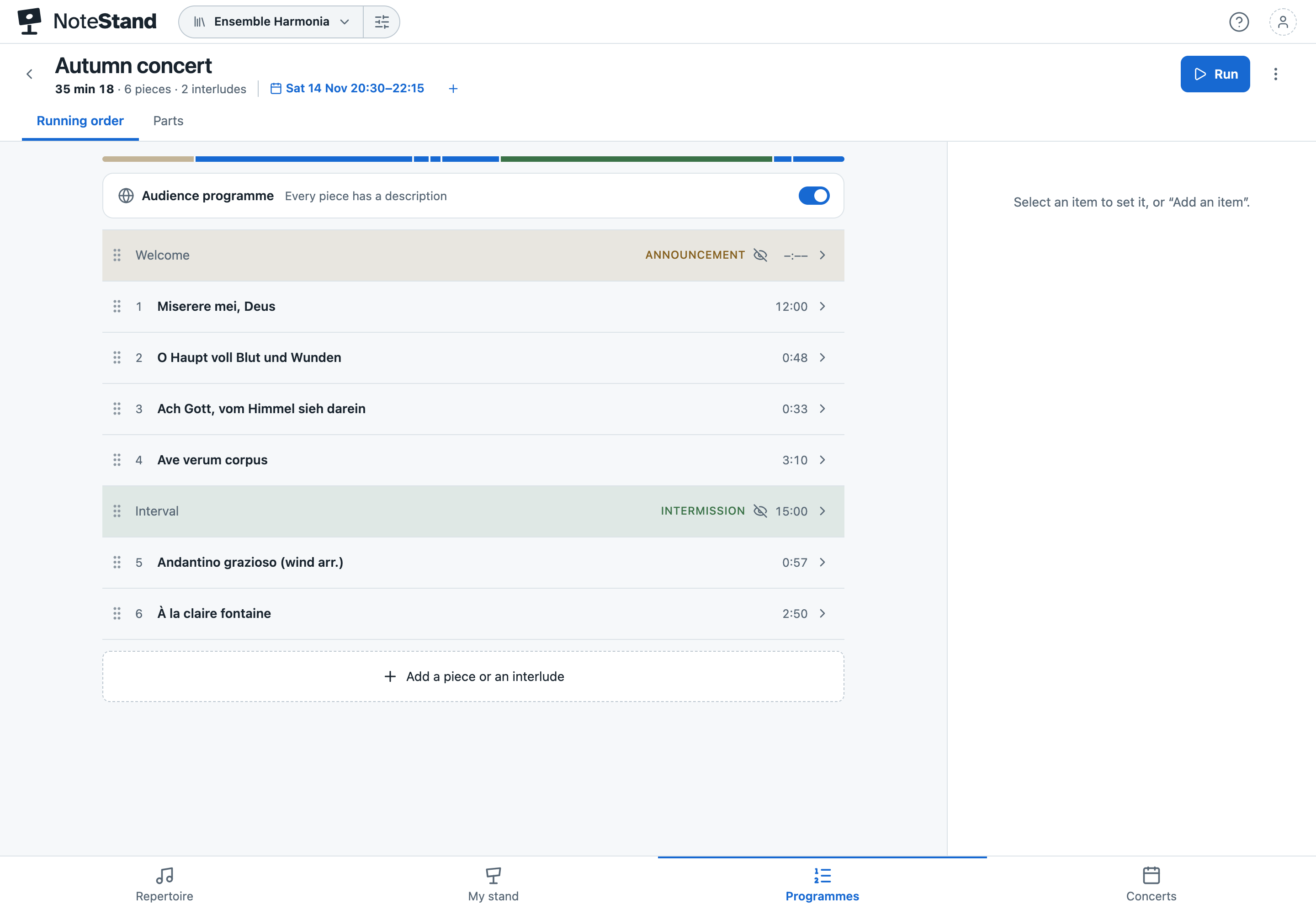
She creates the choir’s space and imports its repertoire of pieces: PDFs, MusicXML files, MP3 practice tracks for each part, a motet found on CPDL. She sets each part’s starting note, adds the translation and pronunciation of the Latin motet, then prepares the Christmas concert set list.
- The next dayThe singers
Everyone gets the invitation by email, opens NoteStand on their phone, tablet or computer, and picks their section. In every piece, their staves stand out and their starting note is ready. Four singers stay on paper: the director prints the PDFs for them.
- Every ThursdayIn rehearsal
Some work on a computer, others on a tablet or even a phone, and others still prefer to stay on paper. The director gives the starting notes in one tap. After the session, she marks the agreed breaths with a stylus on the shared layer: the whole choir has them next time, absentees included.
- Between rehearsalsA tenor, at home
In My stand, he opens the pieces of the set list, mutes the other parts and works on his own, played on piano, by a voice or by another instrument, as he chooses. He adds his own annotations, his own cues, which only he sees.
- Three weeks beforeThe chair and the director
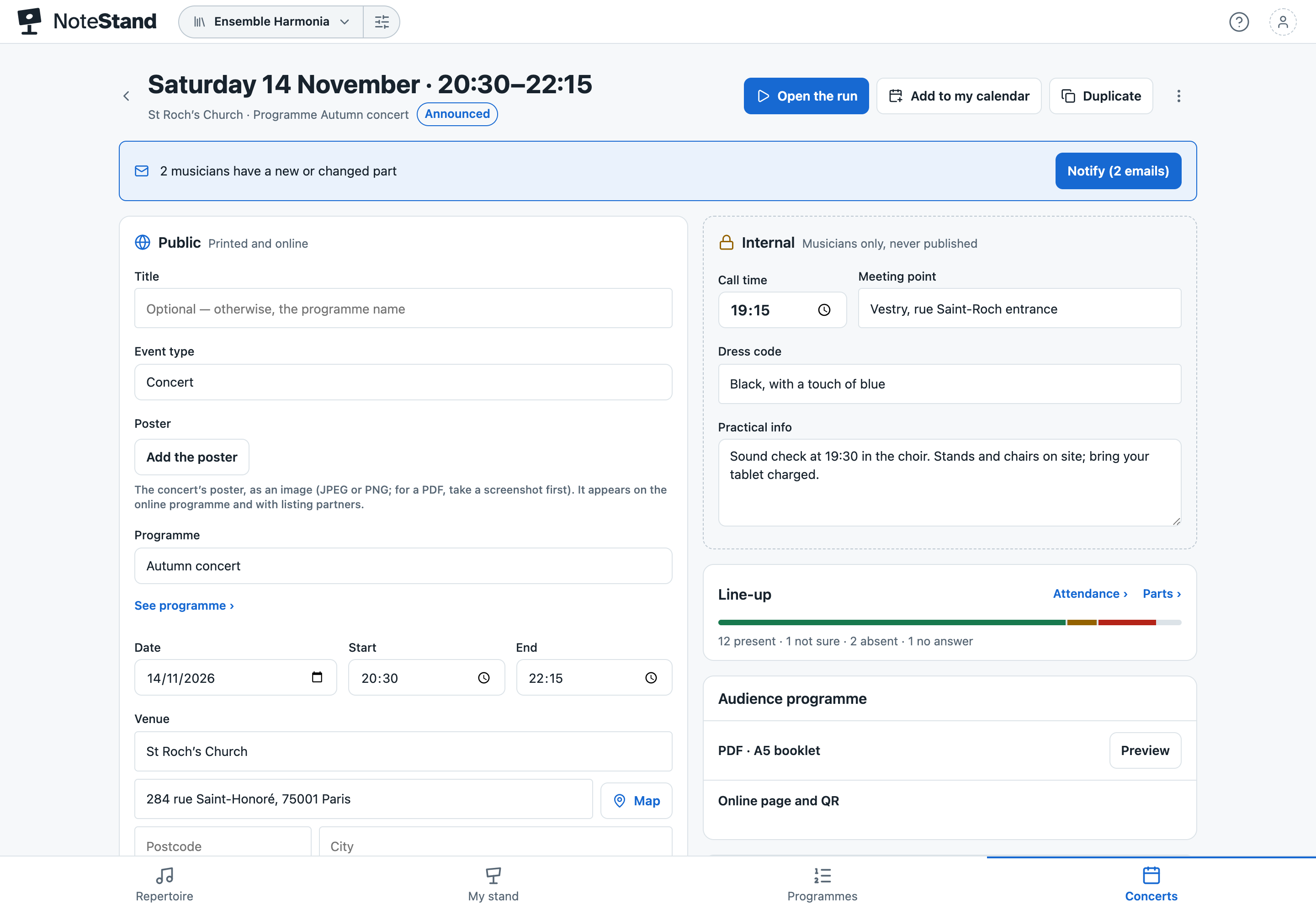
The chair announces the concert: everyone answers present, not sure or absent, and a reminder goes to those who haven’t answered. An alto is missing on one piece: the director gives the part to another singer, whom NoteStand tells in one tap. Organise the concerts ›
- Concert nightOn stage and in the hall
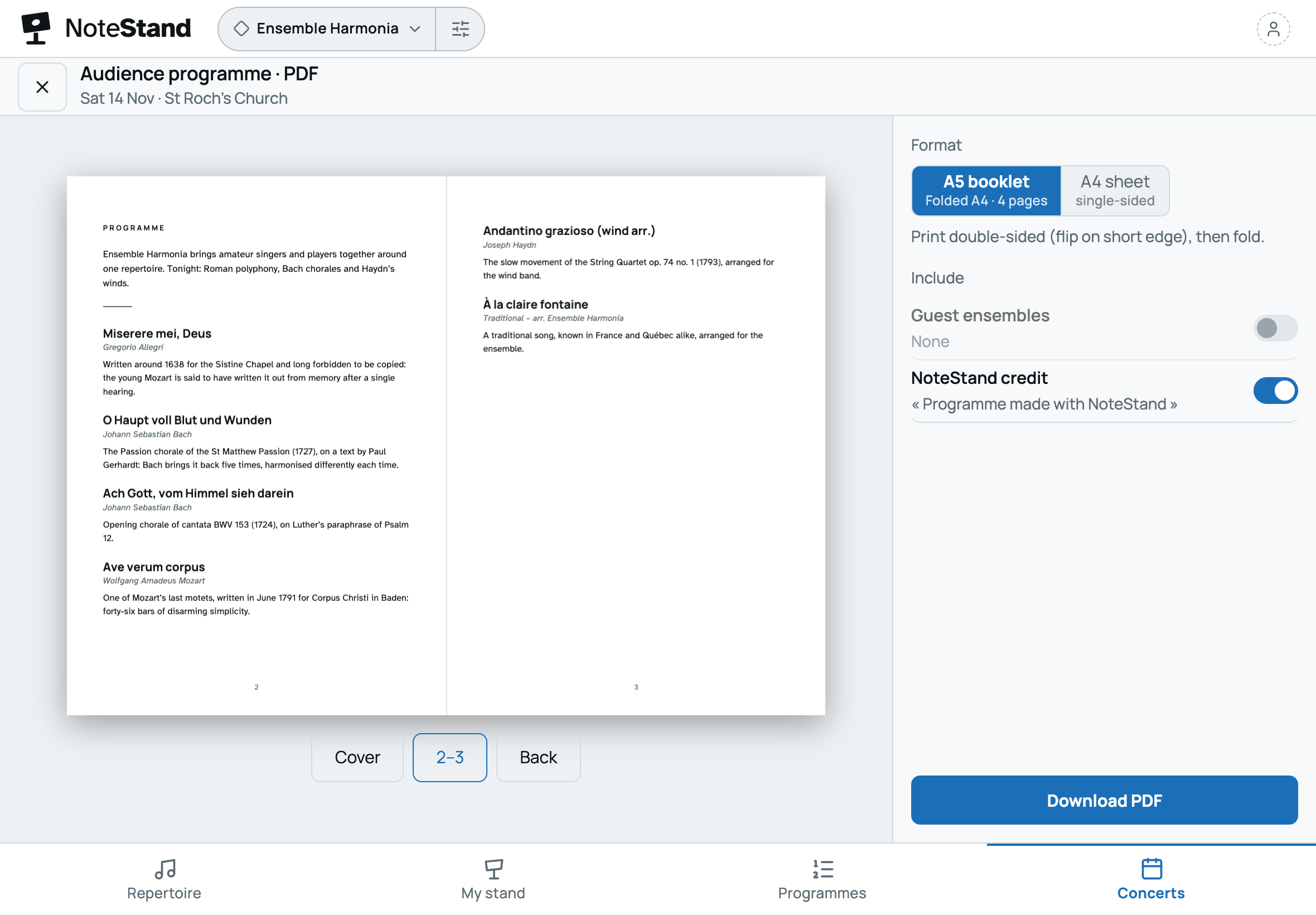
On the director’s tablet, set-list mode moves from piece to piece in stage mode, with no page to look for. In the hall, the audience has the programme in a printed booklet or online, from the poster’s QR code.
- The next dayThe director
She exports the programme of the works actually sung, ready to copy into the rights declaration. Declare ›


Frequently asked questions
Your questions about NoteStand for a choir
Does every singer have to pay or install an app?
No. The choir takes one subscription; every singer receives an invitation, creates a free account and opens NoteStand in their browser, or installs it in a few seconds (see how).
Some singers don’t read music.
They rely on the lyrics: everyone can choose to open the lyrics rather than the score, for themselves only, with translation, pronunciation and dynamics. The MP3 practice tracks attached to the piece, often one per part, play at home, and on a MusicXML score everyone hears their own part, played on piano or by a voice.
Our scores are PDFs: does the starting note work?
Yes. On a PDF, each part’s starting note is picked once, on a keyboard. On a MusicXML score, it comes from the score itself, and every singer can also listen to their part.
Some singers sing in several choirs.
With a single account, they move from one choir to the other; their section and settings follow each choir, and they pay for none.
Our choir has more than fifteen singers: how does the trial work?
The trial gives six months for a fifteen-member space. For a bigger choir, start with the director and a few singers, then choose the plan that fits to invite everyone. Without a subscription at the end of the trial, the space becomes read-only: nothing is deleted.
Are the lyrics published with the audience programme?
No. The programme shows titles, composers and each piece’s introduction; lyrics and internal details (meeting time, dress code) are never published.
Your next rehearsal, prepared for every voice
Create your choir’s space, invite your singers and give each section its part and its lyrics. Your first space is free for six months.
6 months free · no card needed, no commitment
Would you rather we showed you? Write to us: a short demo, or your space set up with you.